

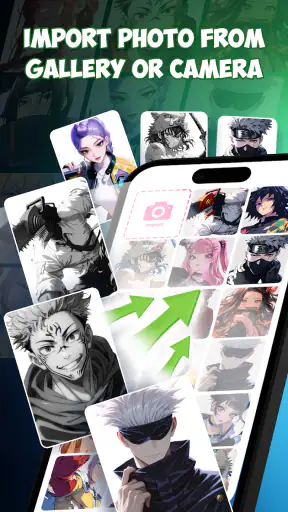
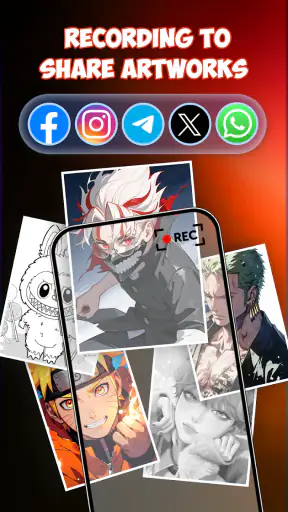
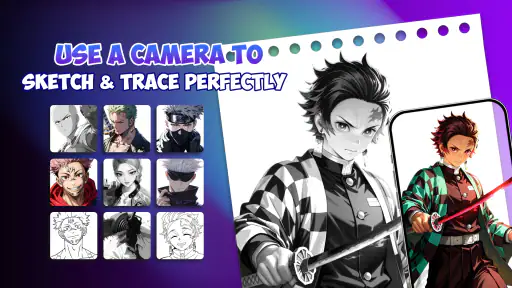
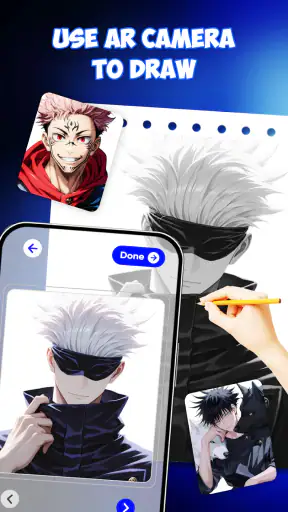
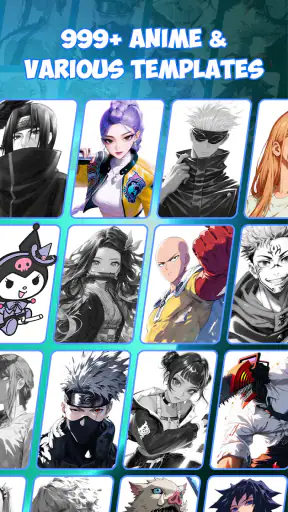
Learning anime drawing on a phone can feel awkward at first. The screen is small, the proportions are easy to lose, and a blank canvas often gives beginners no idea where to start. Draw Anime - AR Drawing Sketch takes a more guided approach by combining step-by-step drawing lessons with an augmented-reality-style sketching workflow. I found it most interesting as a bridge between looking at a reference and actually putting lines on paper, rather than as a complete replacement for a full drawing studio.
The app comes from LOGICLABS LIMITED and sits in the art and design category. It is free to use, rated for Everyone, and has attracted an average score of 4.4 from around 18 thousand ratings. That level of adoption matters to me because it suggests the concept is easy for a broad audience to understand, even though popularity alone does not guarantee that every drawing session will feel smooth.
How the guided anime workflow feels on a phone
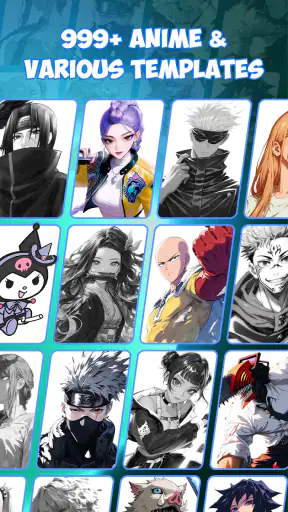
The central idea is simple: choose an anime-style subject, follow the construction stages, and use the phone as a visual guide while sketching. Instead of asking me to memorize a finished character, the step-by-step format breaks the task into manageable decisions. I can concentrate on the outline first, then gradually work toward the recognizable details that make an anime face or figure look convincing.
That order is particularly useful for beginners who tend to start with eyes, hair, or clothing before establishing the head shape. A guided sequence encourages a better habit: place the large forms before polishing the small ones. When I treat each stage as a checkpoint rather than something to copy perfectly, the process becomes less intimidating and more educational.
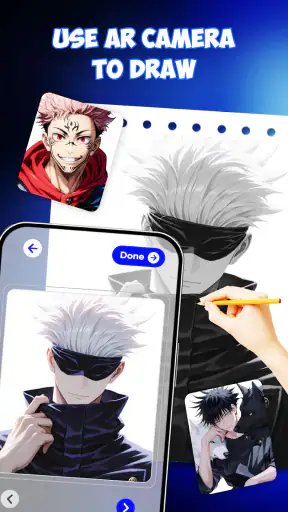
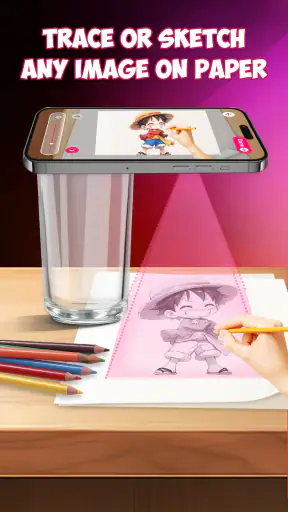
The AR drawing concept is best understood as a way to align a reference with a physical drawing surface. This can make proportions easier to judge than when a reference is displayed beside the paper. It also changes the experience from passive viewing to active tracing and interpretation. The important distinction is that the app can guide my hand, but it cannot decide how much pressure to use, how confidently to draw, or when a line should be corrected.
On a phone, this kind of guidance works best when the device is held steadily and the drawing area is uncluttered. A crowded desk, uneven lighting, or a constantly shifting camera position can make the overlay harder to follow. I would therefore use it at a table rather than while standing, and I would prepare the paper and pencil before opening the lesson. That small bit of preparation prevents the first few minutes from becoming a search for a workable position.
The app is not only for someone who wants to produce a finished anime illustration immediately. I see more value in it as a practice tool. A beginner can repeat a basic face, compare the result with the reference, and slowly notice where the eyes sit relative to the center line or how the jaw changes the character’s expression. Those observations remain useful even when the phone is put away.
Where an internet connection affects the experience
Connectivity becomes relevant whenever the app needs to present or refresh visual material. A drawing session can feel very different if a lesson takes time to appear, if the connection is unstable, or if the phone is switching between mobile data and Wi-Fi. The most frustrating moment is not usually the drawing itself; it is being ready with a pencil while waiting for the next visual step.
I recommend opening the intended lesson before settling into a longer practice session. This gives the app a chance to load what it needs while the connection is available and reduces interruptions during the actual drawing. I would not assume that every part of the experience remains available without a connection, so anyone planning to use it while traveling should test the exact workflow in advance rather than discovering a limitation on a train or in a waiting room.
This is also where the app differs from a downloaded PDF tutorial or a book. A book is immediately usable once you own it, while an app can depend more heavily on the phone’s current state, connection quality, and available resources. The digital format is more interactive and convenient for positioning a reference, but it can introduce moments that have nothing to do with artistic ability.
For people with limited mobile data, the sensible habit is to use Wi-Fi when browsing through lessons or preparing a new drawing. I would avoid repeatedly opening and closing the same material over a cellular connection until I understood how the app behaved on my device. This is not a reason to reject it, but it is an important trade-off for users who monitor every megabyte.
Using it in real mobile situations
A realistic use case is a short evening practice session. I can place the phone on a stand, put a sheet of paper in front of it, choose one character style, and work through a single drawing without committing to a full art course. The guided format suits that kind of limited time because I have a visible starting point and a clear next action.
It can also work well for a parent or older sibling helping a child explore drawing. The Everyone age rating makes the app approachable for a broad audience, but supervision is still useful when the phone needs to be positioned over a table or when a child is tempted to focus on the screen instead of the paper. The app provides direction, while the adult can help with posture, lighting, and keeping the drawing surface stable.
Students may find it useful during a break when they want a quick creative activity rather than a formal lesson. However, I would not depend on it for a class presentation or a planned group activity without checking the connection and device setup first. A single phone is also a narrow viewing surface, so sharing the exact overlay with several people is less convenient than using a projected demonstration or a large printed reference.
For experienced artists, the value is more limited but not nonexistent. Someone who already understands construction may use the lessons as warm-ups or as prompts for simplifying a pose. The app is less compelling if the goal is advanced anatomy, custom perspective studies, detailed brush control, or a professional production workflow. In those situations, a dedicated drawing application with layers, brushes, selection tools, and export controls is likely the better choice.
What happens when a session goes wrong
AR-style drawing is sensitive to setup. If the phone moves, the reference may no longer align naturally with the paper. If the surface is too dark or the room is poorly lit, following the guide can become tiring. I would treat alignment as something to check repeatedly, especially before drawing important details such as the eyes or mouth. Repositioning at that stage is usually easier than trying to repair a face that has gradually drifted.
Another common problem is overreliance on tracing. A beginner may produce a pleasing outline while the guide is visible, then feel lost when attempting the same character without it. My workaround is to use the app in two passes. First, follow the stages carefully. Then, close the reference or look away and redraw the construction lines from memory. The second attempt is often less polished, but it reveals what I actually learned.
If an image or lesson does not load as expected, I would avoid repeatedly tapping through the interface. First check the connection, confirm that the phone is positioned properly, and reopen the specific drawing flow. If the issue is caused by movement or lighting, restarting the app will not solve it. A stable surface and a clear setup are more useful than treating every visual problem as a software failure.
The current version is 1.3.9, and the app requires Android 7.0 or later. That makes compatibility fairly approachable for people using older Android phones, although the real comfort of an AR drawing workflow still depends on the individual device, its camera behavior, screen size, and general responsiveness. A phone that technically runs the app may still be inconvenient if it cannot be placed securely above the paper.
Recovery is easier when I save the drawing physically at each meaningful stage rather than trying to recreate everything from memory after an interruption. I might take a quick photo of the construction before moving the paper, then continue when the connection or alignment is stable again. This creates a personal record of progress and turns a disrupted session into useful practice instead of wasted effort.
Keeping the experience data-conscious
The free price makes experimentation easy, but free does not automatically mean that every user should browse without thinking about connectivity. I would begin with one lesson on Wi-Fi, observe how long it takes to load, and then decide whether mobile use feels practical. This is especially sensible for people on capped plans or for families sharing a device connection.
There is also a battery consideration in any workflow that keeps the screen active while the phone is positioned over a drawing. A long session can be more demanding than quickly reading a static tutorial because I need the display visible and the device properly placed. Lowering screen brightness slightly, closing unrelated apps, and starting with a charged phone can make the session less stressful. These are simple habits, but they matter when the drawing itself may take longer than expected.
Storage and organization are worth considering too. If I photograph finished sketches or keep several practice attempts, the phone can quickly become a messy archive. I prefer a small folder organized by date or subject, with one image of the reference stage and one image of the result. That makes it easier to see improvement and prevents the app from being judged only by the first drawing I make.
Another useful trade-off is screen size. A larger phone makes the guide easier to see, but it may be heavier or harder to position securely. A compact phone is easier to mount and carry, yet small details can become difficult to follow. If I were choosing between devices for this specific activity, I would prioritize a stable viewing angle and comfortable visibility over raw performance.
How it compares with familiar alternatives
A traditional anime drawing book is better for uninterrupted practice, annotation, and long-term reference. It does not depend on the phone being charged or connected, and it gives me a consistent page layout. The app is more convenient when I want visual guidance positioned close to the paper, especially during the first attempts at a new style.
Video tutorials offer more explanation and personality. A skilled instructor can describe why a line changes, demonstrate common mistakes, and show several variations. Their weakness is that pausing and copying a moving video can be cumbersome. Draw Anime - AR Drawing Sketch feels more direct for a person who wants a visible construction guide rather than a long spoken lesson.
General drawing apps are stronger for digital artwork. They usually provide more control over layers, brushes, corrections, and composition. They are also better once I want to create an original illustration entirely on the phone. This app’s advantage is not the depth of its digital canvas; it is the way it helps a beginner connect a reference with hand-drawn practice.
Free online image searches provide endless references, but they do not necessarily teach a sequence. They can also encourage copying a finished image without understanding its structure. The guided approach here is narrower, yet that limitation can be productive. Having fewer decisions at the beginning helps me focus on proportion and repetition instead of spending the whole session choosing what to draw.
I would skip this app if I mainly want a professional digital art workspace, detailed painting tools, or a dependable offline reference library. I would also look elsewhere if connectivity interruptions are unacceptable during every creative session. For a beginner who wants anime-oriented guidance and is comfortable preparing a phone-and-paper setup, it makes more sense.
Who will get the most from it
The strongest audience is someone who says, “I want to draw anime, but I do not know where to begin.” The step-by-step structure lowers the initial barrier and gives that person a practical routine. It is also suitable for casual hobbyists who want a quick creative activity without learning a complex illustration program first.
It can be useful for practicing observation, but I would not confuse guided tracing with mastery. To make genuine progress, I would alternate between following the app and drawing without the overlay. I would also change small details, such as the angle of the face or the shape of the hair, so the exercise becomes interpretation rather than repetition.
The app is less suitable for someone who dislikes holding a phone in a fixed position, works mainly with a stylus on a tablet, or wants immediate control over every mark. It may also frustrate artists who already have a personal workflow and do not need staged instruction. The free access makes it easy to try, but the right question is whether the guided method matches the way you prefer to learn.
Released on October 2, 2025, it is a relatively new option for this kind of mobile art practice. With more than five million installs, it has clearly reached a substantial audience, while the 559 written reviews provide additional evidence that people are engaging with it beyond a quick download. I see those figures as signs of interest, not proof that the app will suit every phone or every drawing style.
My connectivity verdict
After looking at the whole workflow, I think the app succeeds when the phone is treated as a temporary drawing guide rather than as the artwork itself. Its best moments come from reducing the fear of the blank page, helping a beginner place broad shapes, and making a short practice session feel achievable. The connection and setup requirements are the main sources of friction, so I would prepare the lesson on Wi-Fi, stabilize the device, and keep a backup plan such as a photographed sketch or a simple paper reference.
For a free art and design app, it offers a focused reason to exist: anime drawing practice that connects a screen-based guide with physical sketching. I would recommend it to beginners, families, and casual artists who want structure without investing in a complicated tool. I would not recommend relying on it as a complete art education or a replacement for a serious digital studio.
My final advice is to judge it after several different sessions, not after one imperfect tracing. Try a short drawing at home, repeat part of it from memory, and then test the same workflow with a less reliable connection. If the guidance helps you understand proportion and keeps you drawing, it has earned a place in your routine. If the overlay feels restrictive or the network interruptions outweigh the benefit, a book, downloaded lesson, or full drawing app will probably serve you better.


